
Bookeebet Tanzania mobile app
Download native Android and iOS applications for faster betting, instant deposits via M-Pesa, and exclusive 50% welcome bonus up to TSh 100,000. Access sports markets, casino games, and live betting from your phone with optimized interface consuming 40% less data than mobile browser.


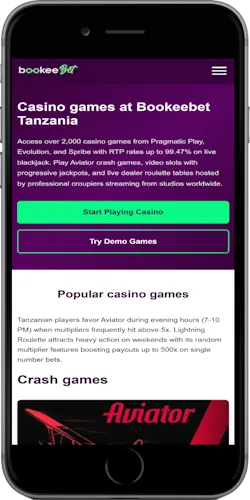
Mobile app advantages
Native applications outperform mobile website across speed, reliability, and battery consumption. Push notifications alert you to bet settlements, deposit confirmations, and bonus credits within seconds of occurrence.
Fast loading
App launches in 1.2 seconds on average versus 3.8 seconds for mobile website. Pre-cached data loads markets instantly without waiting for server responses on every navigation.
Live scores
Real-time match statistics update every 5 seconds during live events. Watch goal alerts, corner counts, and card notifications without refreshing screen manually.
Quick deposits
M-Pesa integration saves payment details for one-tap deposits. Enter amount, confirm with PIN—funds appear in balance within 30 seconds without leaving app interface.
Push alerts
Get notifications when your bets settle, favorite teams start matches, or special promotions launch. Customize alert preferences in settings to receive only relevant updates.
Offline mode
Browse previously loaded markets and casino games without active connection. Place bets offline—they queue and submit automatically when connection restores.
Biometric login
Use fingerprint or face recognition to access account instantly. Biometric authentication bypasses password entry while maintaining security through device-level verification.
Game shortcuts
Add favorite slots or Aviator to home screen for direct launch. Skip main app menu and load your preferred game in single tap from phone desktop.
Data saving
Optimized image compression and reduced API calls consume 40% less mobile data compared to browser version. Enable ultra data saver mode in settings to cut usage by additional 25%.
How to install Bookeebet app
Android APK installation steps
Enable unknown sources
Go to Settings → Security → Unknown Sources and toggle on. This allows APK installation from outside Google Play Store. You can disable after installing Bookeebet app.
Download APK file
Click Android download button above or visit bookeebet-tz.com/download on phone browser. APK file size is 12.4 MB—download completes in 15-30 seconds on 4G connection.
Install application
Open downloaded APK from notification bar or Downloads folder. Tap Install and wait 10-15 seconds for installation to complete. App icon appears on home screen automatically.
Launch and login
Open Bookeebet app from home screen. Login with existing account or register new one. First launch downloads additional 8 MB of game assets in background.
Android requirements
Operating System: Android 4.4 (KitKat) or newer | Storage Space: 25 MB free | RAM: 1 GB minimum | Internet: 3G or faster connection
iOS app installation steps
Trust enterprise profile
iOS app uses enterprise distribution. After download, go to Settings → General → Device Management and trust Bookeebet Tanzania profile to enable app launch.
Download from website
Click iOS download button or visit bookeebet-tz.com/download in Safari browser. Installation prompt appears—tap Install and confirm. App downloads directly to home screen.
Complete installation
Wait for app icon to appear on home screen with progress bar underneath. Installation takes 20-40 seconds depending on connection speed. Do not close Safari during process.
Open and sign in
Tap Bookeebet icon on home screen. If you see "Untrusted Enterprise Developer" message, go to Settings → General → Device Management and tap Trust. Then reopen app.
iOS requirements
Operating System: iOS 11.0 or later | Storage Space: 40 MB free | Compatible Devices: iPhone 6 and newer, iPad Air and newer | Internet: WiFi or 4G connection
Exclusive app bonuses
Mobile app users receive enhanced welcome package and weekly reload bonuses not available through desktop website. App-only promotions run every Friday with matched deposit offers.
Welcome bonus
Register through mobile app and receive 50% bonus on first deposit up to TSh 100,000. Desktop users get 30% up to TSh 50,000—mobile offer doubles maximum bonus amount.
Wagering requirement: 5x bonus amount on sports bets with minimum 1.50 odds. Expires 30 days after activation. Casino games contribute 10% toward wagering.
Friday reload
Every Friday, app users receive 25% reload bonus on deposits between TSh 20,000 and TSh 200,000. Make deposit Friday 00:00-23:59 EAT to qualify. Bonus credits within 5 minutes.
Wagering: 3x bonus on any sports markets. No odds restrictions apply. Valid for 7 days from credit date.
Cashback program
Lose on casino games Monday-Thursday? App users get 10% cashback up to TSh 50,000 every Friday morning. Cashback calculated automatically from net losses—no claim needed.
Cashback has 1x wagering requirement on any casino game. Must be used within 7 days or expires.
Referral rewards
Share your unique referral code from app settings. When friend registers via your code and deposits minimum TSh 10,000, you both receive TSh 5,000 bonus. No limit on referrals.
Friend must complete registration through mobile app and verify phone number. Bonus credits after their first deposit processes successfully.
Common app issues and fixes
App won't install on Android
Verify Unknown Sources is enabled in Settings → Security. If you see "App not installed" error, your phone storage might be full—delete unused apps to free 50+ MB space. Some phones require enabling "Install unknown apps" for your specific browser (Chrome/Firefox) in Settings → Apps.
iOS app shows untrusted developer
Go to Settings → General → Device Management → Bookeebet Tanzania profile → Trust. This is required for enterprise-distributed iOS apps. If profile doesn't appear, reinstall app and wait 1-2 minutes for profile to register with system.
App crashes on launch
Clear app cache: Android (Settings → Apps → Bookeebet → Clear Cache), iOS (delete and reinstall app). Ensure you're running latest version—uninstall current app and download fresh APK/IPA from website. Check that device meets minimum system requirements listed above.
Bets not placing successfully
Verify internet connection is active. Try switching between WiFi and mobile data. If odds changed while you were viewing market, bet placement fails—refresh market and place bet again with updated odds. Check account balance covers stake amount plus potential taxes.
Login fails with correct password
Reset password via "Forgot Password" on login screen—confirmation email arrives within 2 minutes. If email doesn't arrive, check spam folder. Alternatively, contact support via live chat in app (available without login) to verify account status.
Deposits not reflecting in balance
M-Pesa deposits process within 30 seconds typically. Wait up to 3 minutes before contacting support. Check M-Pesa message for confirmation code—provide this to support via live chat. Incorrect paybill number (should be 306090) causes failed deposits that refund automatically within 24 hours.
App updates and maintenance
Bookeebet releases app updates monthly with new features, game additions, and performance improvements. You'll receive in-app notification when update is available. Update process takes 30 seconds and doesn't delete existing data or logout your account.
Current version
Android: v2.4.1 (Released February 2, 2026) | iOS: v2.4.0 (Released February 1, 2026)
Latest update added: Aviator statistics panel, improved live betting interface, M-Pesa auto-fill for repeat deposits, dark mode toggle in settings.
Scheduled maintenance
Server maintenance occurs first Monday of each month, 2:00 AM - 3:00 AM EAT. During this window, deposits and withdrawals are temporarily disabled. You can still browse markets and casino games.
App displays maintenance banner 24 hours before scheduled downtime. Emergency maintenance (rare) is announced via push notification 30 minutes before starting.